
Anker
Anker 140W 4-Port USB-C Charger with Cable
Keep a laptop, phone and accessories connected with the Anker B2697 cable bun...
$88.99

The collection
Shop Anker USB-C wall chargers, desktop charging stations, travel adapters, hubs and docking stations. Compare power, ports, cable bundles and device compatibility for your setup.
A charger’s wattage is its supported maximum, not the speed every device will receive. Check your phone, tablet or laptop’s USB-C input requirements. Multiport chargers share power when several devices are connected, so compare the allocation for the ports you plan to use.
Anker uses Nano for compact charging products, Prime for its higher-performance charging range and MagGo for magnetic charging products. Products within each range differ: match the exact model, connector, wattage and included cable rather than choosing by the range name alone.
Yes. A USB-C connector alone does not establish the cable’s charging power, data speed or display support. Check both your device and cable requirements. For Samsung Super Fast Charging, follow the charger’s model-specific cable guidance.
Some Anker listings include a cable and others do not. The Nano 45W B2692 charger includes a 6 ft USB-C to USB-C cable. Check the selected color and package on the product page before ordering.
Explore related tech accessories and workspace essentials.
Choose connections for the work you actually do: an external display, wired Ethernet, a memory card reader or USB accessories. The Anker 341 7-in-1 hub supports HDMI output up to 4K at 30 Hz; the Anker 555 8-in-1 hub adds Gigabit Ethernet and supports up to 4K at 60 Hz with a compatible DisplayPort 1.4 host.
Check the hub model, your computer and its operating system before choosing. Two HDMI sockets do not guarantee two independently extended displays on every computer. The Prime 160W 14-in-1 docking station has two HDMI outputs, but macOS and iPadOS mirror the external displays through its MST connection. A USB-C port must support the required video mode; its shape alone does not establish display compatibility.
Input power and laptop output differ because the hub uses some power itself. The Anker 543 Slim hub accepts up to 65W input and supplies up to 53W to the laptop. Several other models support up to 85W laptop pass-through. Match the exact product specifications, power adapter and cable to your laptop’s needs.
27 products
Anker
Keep a laptop, phone and accessories connected with the Anker B2697 cable bun...
$88.99

Anker
The Anker 310 A8312 provides an HDMI connection for a compatible laptop, phon...
$15.99

Anker
The Anker 323 A2331 adds USB-C and USB-A charging to a compact wall adapter w...
$18.99

Anker
The Anker 341 A8346 adds USB data, memory-card access and an external HDMI di...
$38.99

Anker
The Anker 523 Nano 3 A2039 is a compact wall charger with two USB-C ports for...
$24.99

Anker
The Anker 543 A8365 combines everyday USB connections, HDMI and wired network...
$38.99

Anker
The Anker 547 A8354 connects to two USB-C ports on a compatible MacBook and a...
$53.99

Anker
The Anker 553 A8380 adds two HDMI connections, USB peripherals and wired netw...
$52.99

Anker
The Anker 555 A8383 combines faster USB data connections with HDMI, wired net...
$48.99

Anker
The Anker 565 A8388 adds desktop connections through a compatible laptop’s US...
$68.99

Anker
The Anker 715 A2663 Nano II supplies up to 65W through one USB-C port. Its Ga...
$28.99

Anker
The Anker 735 A2667 Nano II combines two USB-C ports and one USB-A port in a ...
$28.99

Anker
The Anker MagGo A25M8 folds into a compact wireless charging station for a co...
From $88.99

Anker
The Anker Nano B27370A1 package combines a three-port car charger with a 3.3 ...
$52.99

Anker
Connect travel essentials with the Anker Nano A9215, combining an AC outlet, ...
$24.99

Anker
The Anker Nano A2147 is a compact, single-port USB-C charger for compatible p...
From $14.99

Anker
Carry fewer loose cables with the Anker Nano A2658. A built-in retractable US...
$28.99
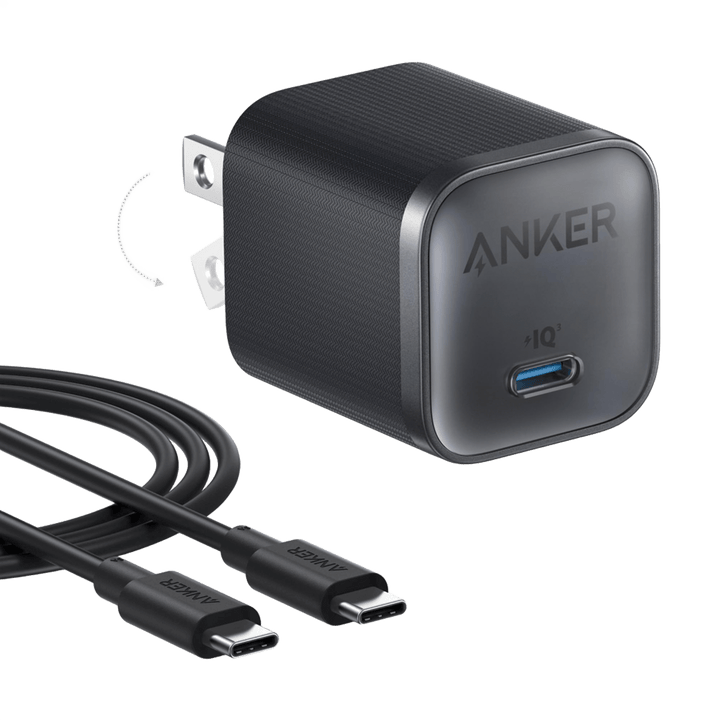
Anker
Pack one compact charger and a longer cable for everyday USB-C charging. The ...
$21.99

Anker
The Anker Nano A2738 powers two USB-C devices from a compatible vehicle power...
$28.99

Anker
Connect a compatible USB-C laptop to a DisplayPort monitor with the Anker Pow...
$21.99

Anker
Add a wired network connection to a compatible USB-C computer or tablet with ...
$24.99

Anker
Charge a compatible USB-C laptop and smaller devices from a single wall outle...
$68.99

Anker
The Anker Prime 14-in-1 Thunderbolt 5 Docking Station (A83B51A1) connects dis...
$398.99

Anker
The Anker Prime A83B6 combines display connections, data expansion and shared...
$269.99